Until now, sharing projects in the new app required
both the host and guest accounts to have an active paid plan. This restriction
has now been lifted from guest accounts. You can
invite any IcoMoon account to
your projects. An invitation would appear in the Projects pane of the guest
account. After accepting the invitation, you can collaborate on the same
project in real time.
If you've been using the new app, take a moment and
let us know what you
think. We would really appreciate your feedback.
Beta Testing the New App
We are excited to announce that after several years in development, IcoMoon's
new app is publicly available for beta testing.
This version is quite different from its predecessors. Here are some of the
biggest features and changes:
Command Bar
Press Cmd/Ctrl + K or Shift + :
or Slash to bring up the command bar anytime you get stuck.
Chances are you will find what you're looking for. You could also bring up
the command/action bar via the question mark button on top right.
Clean Projects
There is only one set of glyphs per IcoMoon project. The intention is to
help keep IcoMoon projects clean and make them reflect the icons used in
production. By default, every glyph imported to an IcoMoon project is meant
to be included in exported assets. It is no longer necessary to
select icons inside the project. Instead, you can
optionally mark(aka flag) glyphs for
performing certain operations on them. You could still change the subset
that would get exported to marked glyphs, but you should rarely need to do
so. The notion of selecting icons makes more sense for the library
pane. You can select which icons from the library would be included in your
project by a single tap/click. Glyphs selected in the library would get
imported to your project. A second tap on the same glyph would remove it
from your project. The new library also keeps track of the icons added to
your project. It would show a notification when updates are available for
the icons you've added, allowing you to optionally update and replace the
icons in your project, without affecting their name, character code, or
other metadata.
SVG Editor
The new app comes with an advanced SVG editor. Unlike most vector editors on
the web that use a
canvas
for rendering, IcoMoon uses SVG for rendering SVG! In other words, what you
see is what you get. This editor has been optimized for designing icons and
glyphs. We have ourselves used this vector editor for designing
all the icons and SVGs you see on this website, as well as
two new icon sets available in the library:
Harmonicons
and
Orbiters.
The new app is a
PWA
and works on narrow and touch screens too.
It's offline-first as well. You could "install" it (aka "Add to Home Screen"
or "Add to Dock") to have access to an SVG editor on your device whenever
needed!
IcoMoon can now generate actual multicolor fonts (COLRv0); which are widely
supported and work in every modern browser. No CSS layering is required.
You can even install generated multicolor fonts and use them in desktop
apps.
Better Import and Export
IcoMoon now supports SVG gradients, masks, clip paths, and more. You no
longer need to outline your strokes or convert them to fills or get rid of
even-odd fills or intersecting shapes. IcoMoon itself would take care of it
all upon export.
Importing fonts is now supported too. You can import TTF, OTF and WOFF(2)
font files without having to convert them to SVG first. Kerning gets ignored
for now but we do intend to support it in both imported and exported fonts
in the near future.
Live Collaboration
With an active paid plan, you can now collaborate
and make changes to the same project in real time.
Using the new Share button under each project, you can
allow other members to access your projects with either restricted
(read-only) permission, or edit permission.
Non-destructive Undo & Redo
The history panel reflects changes made to the project. Undoing and then
making new changes would result in creation of a new
branch, as opposed to destruction of the undo history. Each
change can also be toggled off, which can be very handy at times. The
history is stored persistently, meaning it won't get removed when you
reload/refresh the app. It also gets stored in exported project files.
Publishing with Revisions
Each time you upload assets for hosting, a new link would get associated
with them, allowing you to switch to previous revisions if necessary. There
is also a generic, unchanging link which always points to the latest version.
These are only a few of the changes and features of the new app. You can
check out the docs to learn more or
reach out if you have any questions or suggestions.
New Site & Upcoming New App
IcoMoon has a new website now.
We have also been working on a completely new version of the IcoMoon app for
the past couple of years. We are aiming to release it this year if everything
goes well.
You could set the newsletter option in your
account to get notified when it
becomes available.
New CDN Links
We are now using cdn.icomoon.io for CDN links generated in the IcoMoon app. Previously generated links will continue to work for months to come. We are committed to give you ample time for this transition.
If you are using IcoMoon’s Unlimited plan, we recommend switching to new links to achieve better performance. In order to do so, you could perform a find and replace operation and change d1azc1qln24ryf.cloudfront.net to cdn.icomoon.io in the URLs you’re using.
With this change, in the unlikely event that there is a problem with our CDN provider, we could easily move to a different one. It would also allow us to provide better services in future.
We will be sending email notifications before disabling the old links.
Phasing Out Redundant Links (S3)
Since Amazon CloudFront provides better response times and performance, IcoMoon’s Unlimited plan no longer generates S3 links.
You will notice that the IcoMoon app would only list CloudFront links for use in production. Previously generated S3 links can no longer be updated through the app and they will get completely disabled on June 5th. If you have been using S3 links, make sure to switch to CloudFront to prevent any issues on your side.
If you’re not using IcoMoon’s Unlimited plan, or if you have been using CloudFront links, you don’t need to make any changes.
Feel free to contact us if you have any questions.
New Export Format for Flutter
A new export format was added to the IcoMoon app for those who use flutter. In order to enable generating this output, refer to the Preferences panel in the Generate Font page.
reference.html & selection.json
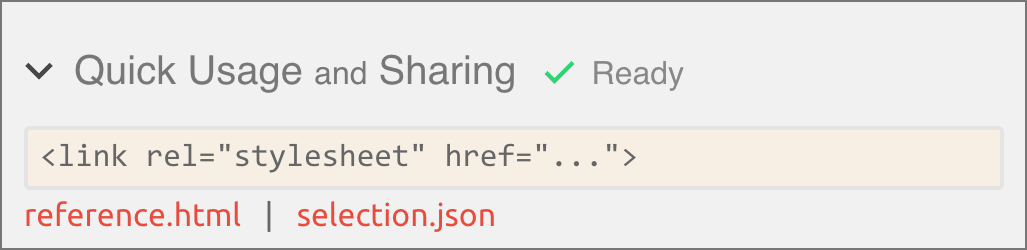
IcoMoon’s selection.js file now gets uploaded in addition to the other necessary files when you enable Quick Usage. The app would show two links, one for selection.json (which can be used in build tools), and one for reference.html. This reference.html is a dynamic page that lists the icons in your selection along with their class names. If you are using a paid plan, the link to this page does not change unless you rename your project. This lets teams share the link to the reference page as a cheatsheet for other team members who want to use the icon set.
In Defense of Grayscale Antialiasing
For font smoothing, Zach Leatherman argues that it is better to use the default antialiasing (subpixel) instead of grayscale antialiasing.
However, there is an issue with subpixel antialiasing on macOS. It adds extra pixels. If you design a glyph on a pixel grid and draw a straight line that exactly fits in pixels, then use the default subpixel antialiasing on macOS, it’ll add some gray pixels around your line. That’s unexpected. A line that fits in pixels should not get rendered with a bunch of extra pixels around it. On the other hand, grayscale antialiasing does not add these extra pixels. It is the standard antialiasing which is also used for rendering SVG and any shape drawn with CSS.
This demo shows a simple glyph with and without grayscale antialiasing. If you zoom in on pixels, you can clearly see the difference and how subpixel antialiasing is adding some extra, unwanted pixels.
To zoom in on pixels, you can either take a screenshot and then use an image editing program like Photoshop, or you can use the zoom functionality in macOS, which can be enabled from System Preferences → Accessibility → Zoom → Check “Use scroll gesture…”. Make sure to uncheck “Smooth Images”.
On macOS, the default font-smoothing makes fonts appear bolder than they’re supposed to. As a workaround for this issue, use the following CSS properties:
After several months of hard work, we are proud to introduce Lindua, a new icon pack with a unique and distinctive style. This premium icon pack is now available for $69. We hope you enjoy using this set in your projects.
We are also unveiling Vect.com, a new domain that we are planning to use as IcoMoon’s new home in future.
Strokes Get Imported
The IcoMoon app no longer ignores strokes upon importing SVGs. They still get ignored when you want to generate fonts or CSH files (which don’t support strokes). But for other cases, e.g. when generating PDFs, you can use strokes without problem.
Preventing Icon Font Issues with Browser Extensions
There are some browser extensions that allow changing fonts. Such extensions may be used by people with dyslexia. Some of these extensions (such as Font Changer and dyslexie) affect all fonts on the page, even icon fonts. This is obviously a bug in the extension, but to prevent issues like this, you can add !important to your icon font’s font-family. Another solution would be to use a CSS selector like .icon, .icon:before.
The CSS generated by the IcoMoon app has been updated to address this issue.
File Size Comparison of SVGs and Icon Fonts
IcoMoon lets you use your icons both as SVGs and icon fonts. There are pros and cons to both methods. SVGs are recommended in most cases; but if you need a lot of icons in your UI, fonts can provide better file size compression. The following is a comparison of the same set of icons containing 170 icons in both SVG and font formats. The SVG file has been minified and it contains all the <symbol> definitions ready to be inserted via the <use> tag. Files used in this comparison have been linked below.